

Google Map on Desktop
This page explains the steps that can be used in order to embed a Google Map on the Desktop of your Windows XP computer.
Requirements
This application does have some requirements in order to work correctly. Apologies if this prevents it working for you and your setup but this what I have found necessary get this to work for me. Feel free to expand on or develop this concept.
- Microsoft Windows XP
- Internet connection
The Solution
Follow these steps..
(1) In the folder "C:\Windows\", create a new file called "map.htm" and open it in a text editor such as notepad.
(2) Copy the following text...
...in to this new file and save it.
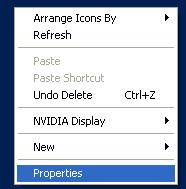
(3)To enable this on your desktop right click on your desktop and select Properties
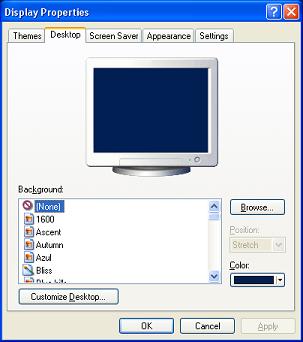
(4)On the Desktop Tab, click on the Customize Desktop... button.
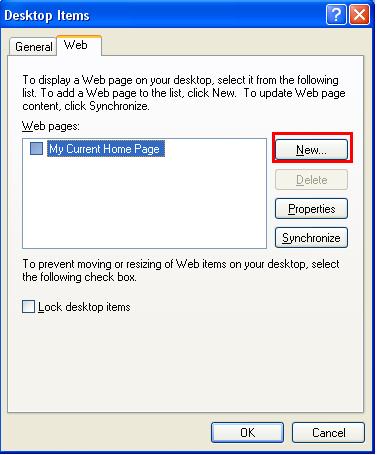
(5)In the Desktop Items window, click the Web tab and then click the New... button.
(6) Browse to the htm file you have just created "C:\Windows\map.htm"
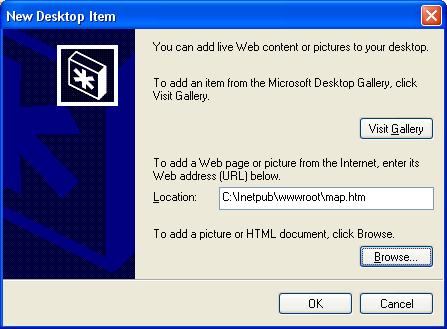
(7)Click OK, then OK, then Apply, then OK
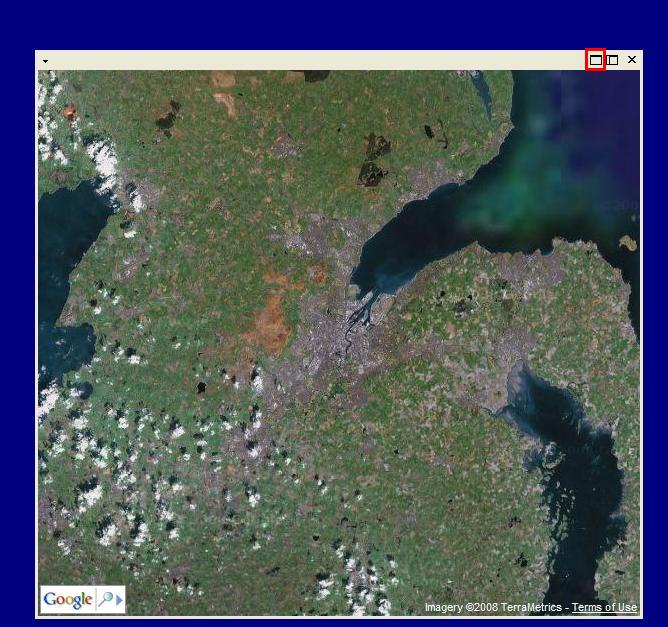
(8) You will now need to maximise the window that has now appeared on your desktop so that it fills the whole screen. To do this, hover over the window then move up to the top gray bar and click the left maximise window button.
Notes
I have used Belfast, Northern Ireland as an example start place because... I can. If you do not agree with this and think it should be somewhere else then please change it yourself. There will never be a location that suits everyone.
There are many bolt-on applications this could be used for, but I have not gone down any of these routes. I have kept this example very basic. Again if you wish to add features to this please do so.
Future Development and Ideas
Some possible applications this could be used for, some of which many get implemented at some point in the future...
- Have the map open at a random location every time windows loads (preferably not in the middle of the ocean!)
- Have the map move slowly but randomly to keep things interesting
Updates
| Version | Date | Description |
|---|---|---|
| Version 1.0 | 04/11/2013 | Updated to use Google Maps API V3 |
| Version 1.0 | 04/11/2013 | IIS no longer required |
Relevant Links
Comments For This Page
very powerfull virsion
very niceBy Gajanan H. Kowar on 9th March 2012
goodBy anirban roy on 16th November 2011
good.By yokeswaran on 9th June 2011
can i do this on win 7By zombie on 17th January 2011
goodBy keyan on 22nd October 2010
cool...By angie on 17th June 2010
Maybe I'm reading their TOS wrong, but wouldn't this be a violation? http://code.google.com/apis/maps/terms.html#section_9_1On 11th June 2010
Maybe I'm reading this wrong, but is this a violation of Google Maps terms of service? http://code.google.com/apis/maps/terms.html#section_9_1On 11th June 2010
when i try this link http://localhost/map.htm it says 'you are not authorized to view this page' what should i do?On 28th May 2010
http://localhost/
what to do if above link do not appears?By manoj baghel on 3rd November 2009
Add your own comment below and let others know what you think: